🚚 Free Worldwide Shipping on All Orders!Shop Now

1 / 2
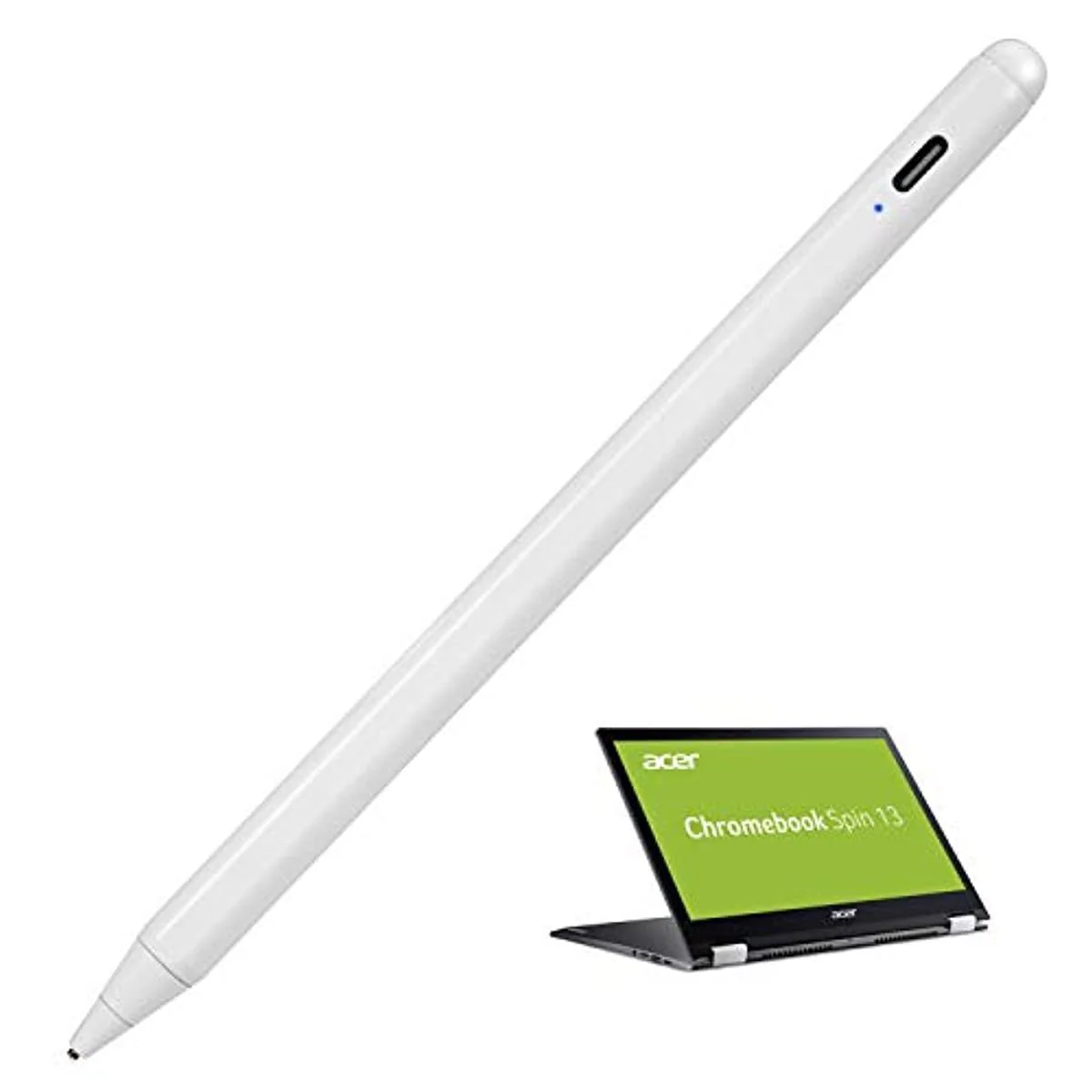
Acer Chromebook Spin Stylus Pen Spin 2-in-1 Convertible Digital Capacitive Pen
Acer Chromebook Spin 15 Stylus Pens, Active Stylist Pen for Acer Chromebook Spin 15 2-in-1 Convertible Digital Capacitive Pens High Precision with Ultra Fine Tip, Touch-Control, and Rechargeable
Features:
- 1.5mm Fine Point Pencil Stylus for Acer Chromebook Spin 15 2-in-1 lets you draw, write and navigate with pinpoint accuracy and offers comfortable pen-like control for Acer Chromebook Spin 15 2-in-1 Pencil Stylus
- Anodized aluminum body Stylus pen for Acer Chromebook Spin 15 2-in-1 Provide durability and offers a stylish appearance
- Touch Control design makes the drawing stylish pencil for Acer Chromebook Spin 15 2-in-1 within reach for easy portability and operation
- Battery life is long enough on this Stylus for Acer Chromebook Spin 15 2-in-1 allows you to interact with your device's touch screen
- This stylish pen offers easy operation while provides protection against dust and damage, available as a normal tip while the active stylus is out of power
Easy Steps to Start:
- Press on the power button
- Open recommended drawing/writing applications in your device and change the input method to handwriting.
- There you go. Enjoy design with the stylus as you want. Now you can start using it.
- Tip: there isn't a Bluetooth connection or cable connection with your device
- Dimensions: 7.72 x 1.85 x 0.91 inches
- Weight: 1.6 Ounce
Acer Chromebook Spin 15 Stylus Pens, Active Stylist Pen for Acer Chromebook Spin 15 2-in-1 Convertible Digital Capacitive Pens High Precision with Ultra Fine Tip, Touch-Control, and Rechargeable
Features:
- 1.5mm Fine Point Pencil Stylus for Acer Chromebook Spin 15 2-in-1 lets you draw, write and navigate with pinpoint accuracy and offers comfortable pen-like control for Acer Chromebook Spin 15 2-in-1 Pencil Stylus
- Anodized aluminum body Stylus pen for Acer Chromebook Spin 15 2-in-1 Provide durability and offers a stylish appearance
- Touch Control design makes the drawing stylish pencil for Acer Chromebook Spin 15 2-in-1 within reach for easy portability and operation
- Battery life is long enough on this Stylus for Acer Chromebook Spin 15 2-in-1 allows you to interact with your device's touch screen
- This stylish pen offers easy operation while provides protection against dust and damage, available as a normal tip while the active stylus is out of power
Easy Steps to Start:
- Press on the power button
- Open recommended drawing/writing applications in your device and change the input method to handwriting.
- There you go. Enjoy design with the stylus as you want. Now you can start using it.
- Tip: there isn't a Bluetooth connection or cable connection with your device
- Dimensions: 7.72 x 1.85 x 0.91 inches
- Weight: 1.6 Ounce
$20.72
Original: $69.07
-70%Acer Chromebook Spin Stylus Pen Spin 2-in-1 Convertible Digital Capacitive Pen—
$69.07
$20.72Description
Acer Chromebook Spin 15 Stylus Pens, Active Stylist Pen for Acer Chromebook Spin 15 2-in-1 Convertible Digital Capacitive Pens High Precision with Ultra Fine Tip, Touch-Control, and Rechargeable
Features:
- 1.5mm Fine Point Pencil Stylus for Acer Chromebook Spin 15 2-in-1 lets you draw, write and navigate with pinpoint accuracy and offers comfortable pen-like control for Acer Chromebook Spin 15 2-in-1 Pencil Stylus
- Anodized aluminum body Stylus pen for Acer Chromebook Spin 15 2-in-1 Provide durability and offers a stylish appearance
- Touch Control design makes the drawing stylish pencil for Acer Chromebook Spin 15 2-in-1 within reach for easy portability and operation
- Battery life is long enough on this Stylus for Acer Chromebook Spin 15 2-in-1 allows you to interact with your device's touch screen
- This stylish pen offers easy operation while provides protection against dust and damage, available as a normal tip while the active stylus is out of power
Easy Steps to Start:
- Press on the power button
- Open recommended drawing/writing applications in your device and change the input method to handwriting.
- There you go. Enjoy design with the stylus as you want. Now you can start using it.
- Tip: there isn't a Bluetooth connection or cable connection with your device
- Dimensions: 7.72 x 1.85 x 0.91 inches
- Weight: 1.6 Ounce